

Install
Install xbin.
One command. The installer prints its plan and asks before it changes anything.
Or try it free for an hourUpgrade to exponential era software
On a Linux machine, run:
curl -fsSL https://xbin.dev/install.sh | sh
01 · First run
It shows you the plan, then it asks.
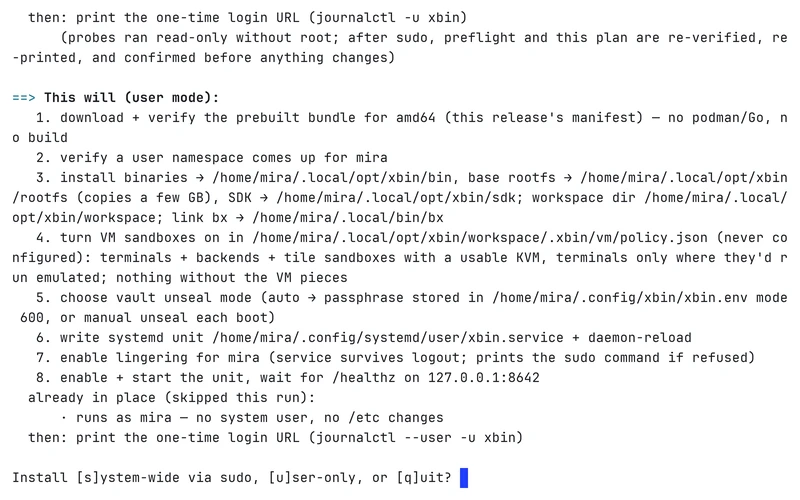
1 · It prints its plan.
Before it touches anything, the installer lists what it will do on this machine.
2 · It asks.
Nothing changes until you answer.
3 · It installs.
With your yes, it installs xbin.
4 · You sign in.
Then you sign in to your new workspace from a browser.
To read the script before you run it, open deploy/install.sh in the source ↗.
Pinning a version and installing system-wide are covered on the Operations page of the docs ↗.
installer
02 · Requirements
What the machine needs.
Requirements
- Operating system
- Linux
- Sandboxes
- Linux namespaces by default. A microVM when an app needs root, such as Docker: with KVM (
/dev/kvm), or emulated and much slower without it. - Free disk
- More than 10 % free on the workspace’s disk. Below that, xbin refuses new sandboxes that apps start and blocks writes by the largest apps.
Or try it free for an hour.
A hosted xbin workspace, free for an hour, started with one ssh command. All you need is an ssh client.
ssh xbin@vcpu.sh
03 · Later
Upgrading and uninstalling.
Both are covered in the docs. Every xbin workspace also serves its own documentation.